
Everything in one focused app

One app, eleven creative tools, zero distractions.

redLUX Guitar isn't a single trick — it's a complete studio that follows the natural arc of making music: jam, build, write, practice, and refine. Every area below works fully offline.

Progression Studio

A strong chord progression in any key, in seconds

Pick a key and a mood and you've got a progression worth playing over immediately — no theory homework required. Borrow chords from parallel modes for unexpected color, reharmonize on the fly, and round-trip progressions straight into your Songbook.

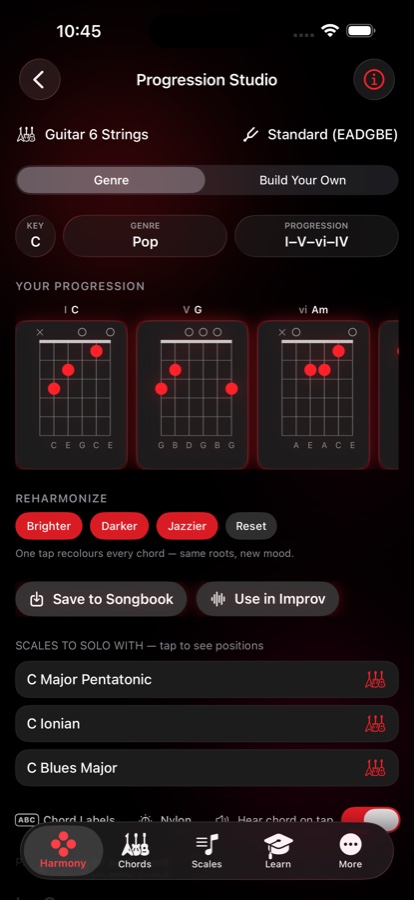
  • One-tap Reharmonize: Brighter, Darker, or Jazzier recolors every chord while keeping the same roots
  • Matching scale suggestions appear right below your progression, ready to tap into Improv
  • Save to Songbook or send straight into the Improv builder
Progression Studio screen with a i-V-vi-IV chord progression, Reharmonize buttons, and scale suggestions to solo with
Scales & Fretboard Maps

Designed for intuition, not memorization

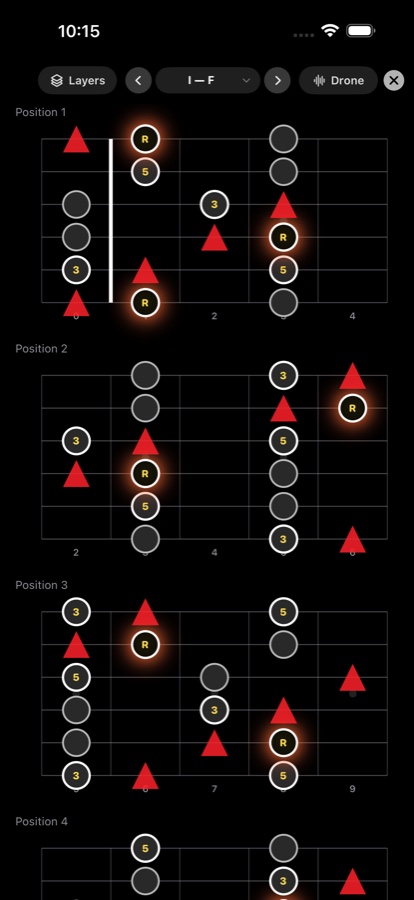
Most scales are built on a pentatonic backbone, so the fretboard shape teaches you the sound. The tonic is a black dot inside a glowing red ring. Characteristic "flavor" notes appear as red triangles. Stable foundation notes stay as quiet grey dots.

  • Multiple fingering positions per scale, with an optional full-neck view
  • Toggle scale-degree labels (1, ♭3, 5...) on or off over the diagram
  • Works across every tuning, plus 7- and 8-string, bass, and ukulele
E Phrygian scale map on the fretboard showing the tonic as a glowing red ring, flavor notes as red triangles, and foundation notes as grey dots
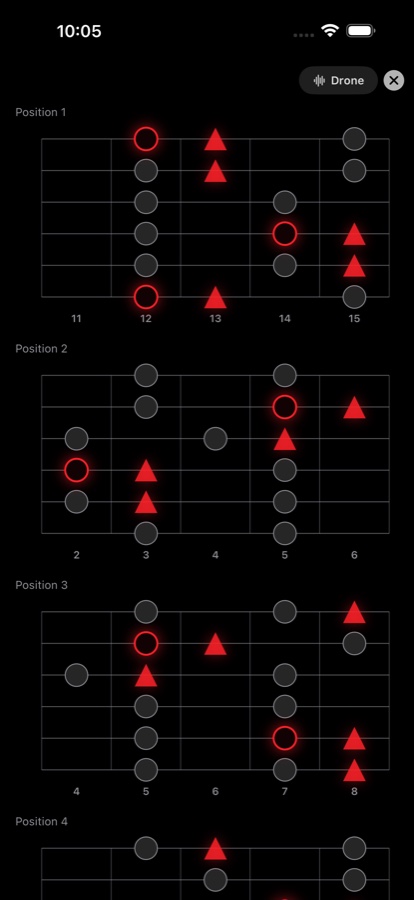
Distraction-free full-screen scale practice mode with a root-and-fifth drone toggle and stacked fretboard positions
Full-Screen Practice Mode

One scale, zero distractions

Strip away everything but the fretboard. Full-screen mode goes edge-to-edge in landscape or portrait, with every position for the scale stacked and ready.

  • Optional root or root-and-fifth drone so you can actually hear the scale's character
  • Landscape shows the full neck; portrait stacks positions for focused practice
  • Built for late-night sessions — dark enough to be easy on tired eyes
Chord Voicings

Every voicing, including the rare ones

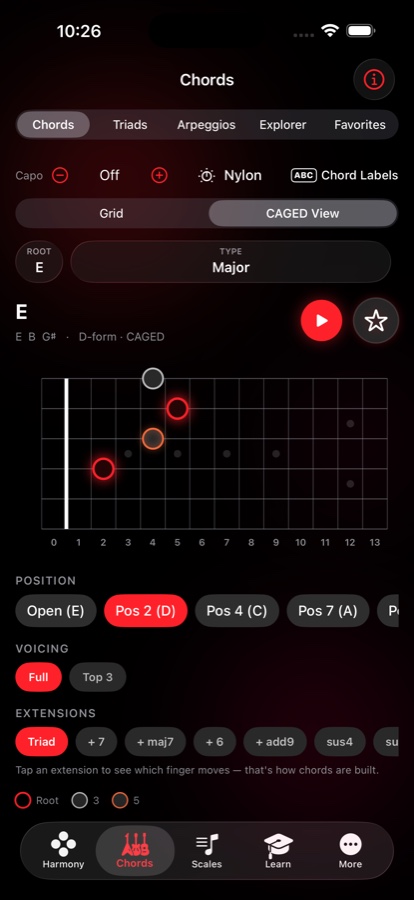
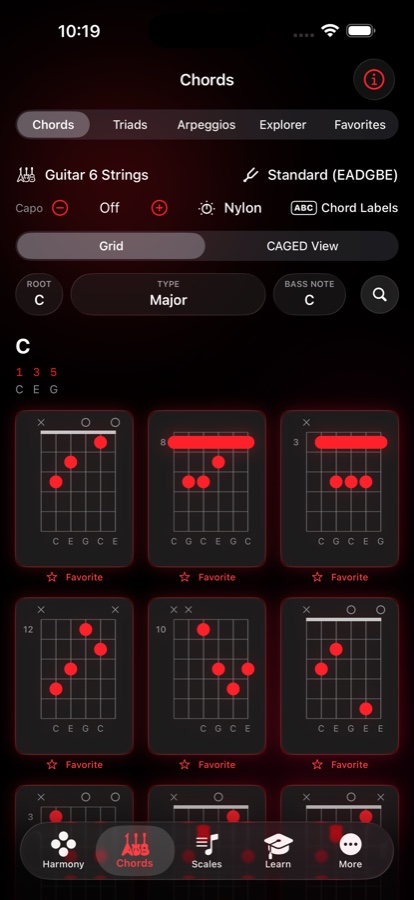
An extensive voicing library — common shapes and the complex, rarely-documented ones — so you keep discovering new harmonic colors instead of settling for the first shape that fits.

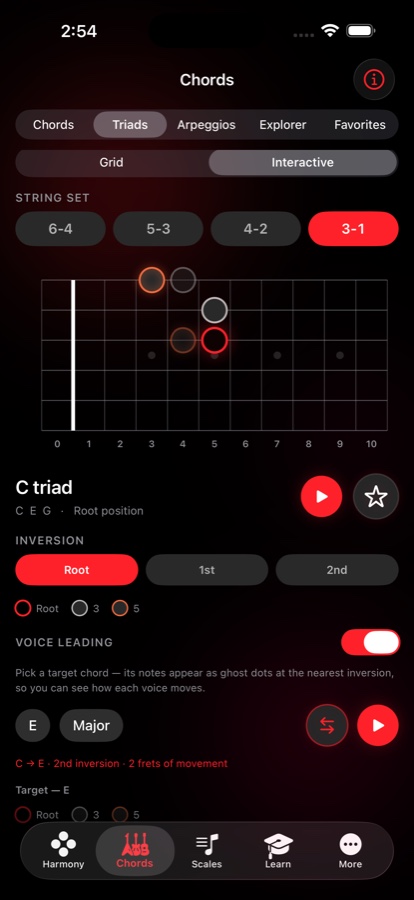
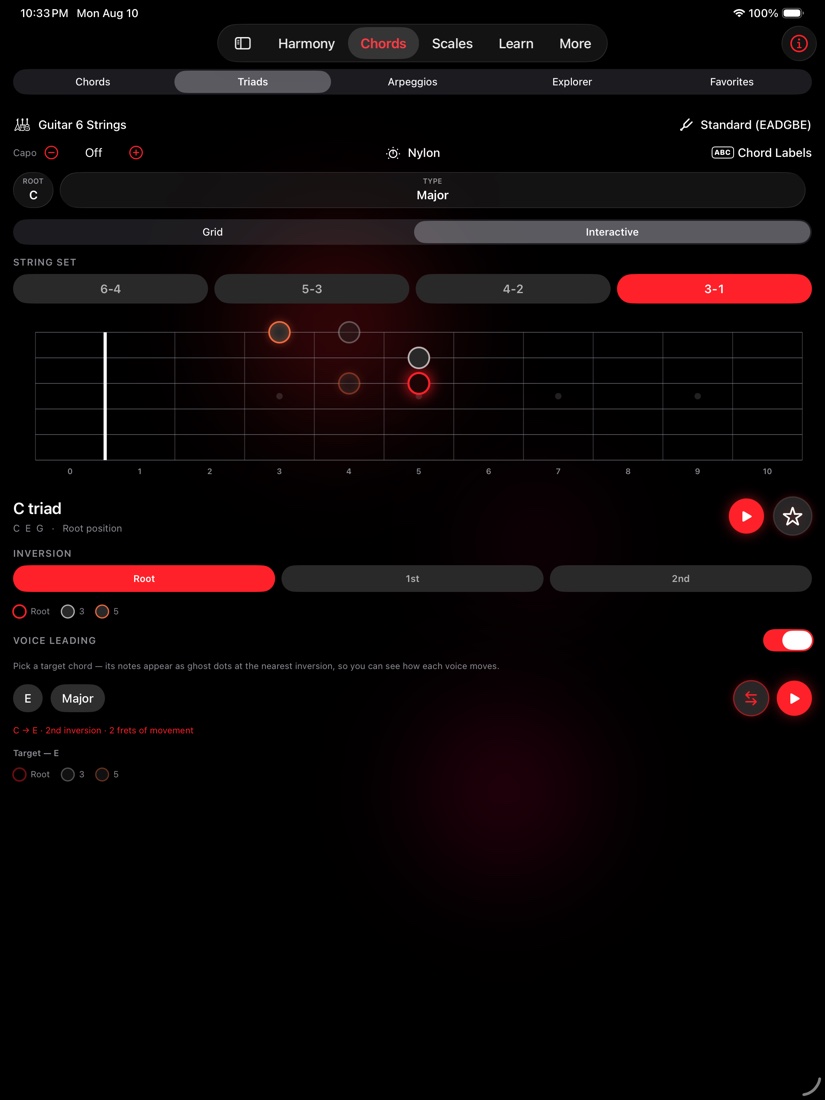
  • Chords, Triads, Arpeggios, and an Explorer view, all from one tab
  • Truthful scale-degree labels per voicing (e.g. 1 5 9 ♭3 for an add9 chord)
  • Star any voicing into Favorites, organized into your own folders
Chord voicings grid for F sharp add9 showing six diagram options with scale-degree labels and favorite stars
Improv builder combining an E Blues Minor scale position, E7 and A7 arpeggios, and an E major triad with inversions for a solo over an E minor progression
Improv Builder

Practice exactly what you want to master

Combine scale positions, arpeggios, and triads — including inversions — over your own progressions. Chord-aware scale suggestions analyze the actual chords you're playing and recommend scales that fit.

  • Broad scale suggestions for newcomers, specific modal choices for advanced players
  • Stack multiple arpeggios and triad inversions on one fretboard at once
  • Jump straight in from any progression in the Studio or Songbook
Songbook

From a jam to a finished song

Add lyrics directly against your chords, organize your growing repertoire, transpose with smart capo suggestions, shuffle for practice, and share when you're ready.

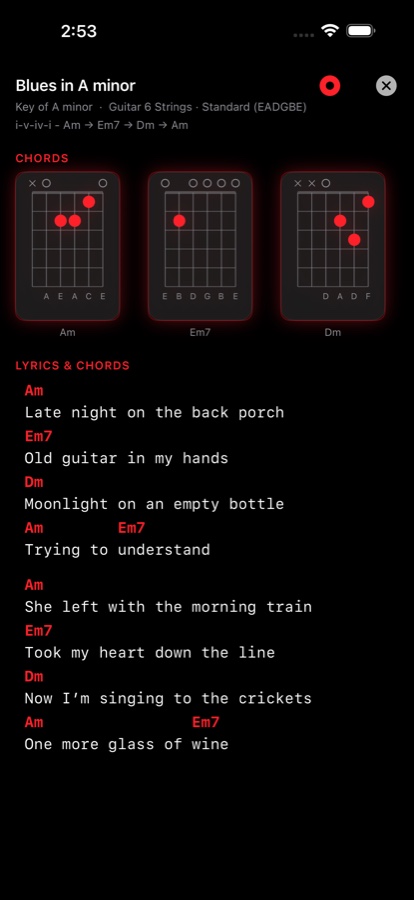
  • Chord symbols sit color-coded right above the lyric line they belong to
  • Smart capo suggestions transpose without changing your fretting hand habits
  • Rework any song back in the Progression Studio whenever inspiration strikes again
Songbook screen for an original song called Blues in A minor with chord diagrams and lyrics aligned under color-coded chord symbols
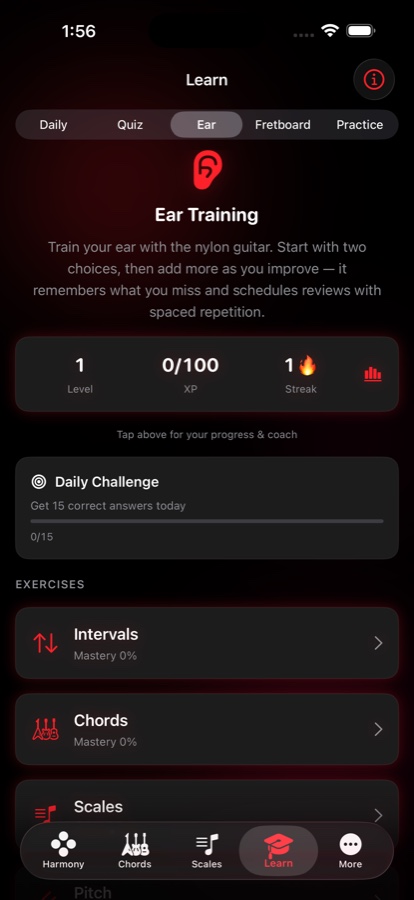
Learn tab showing the Ear Training exercise with level, XP, streak, a daily challenge, and mastery progress for intervals, chords, and scales
Learn

Ear training and theory, in minutes — not hours

Short, enjoyable ear-training games and music theory quizzes built for your commute or a waiting room — something better to reach for than mindless scrolling.

  • Daily, Quiz, Ear, Fretboard, and Practice modes, each tracking mastery separately
  • Spaced repetition remembers what you miss and schedules reviews automatically
  • Daily practice streaks and a daily challenge keep you consistent without pressure
Studio Utilities

The essentials, done properly

A tuner, a metronome that actually grooves, and a recorder that mixes your playing with your own backing track — all built in, all offline.

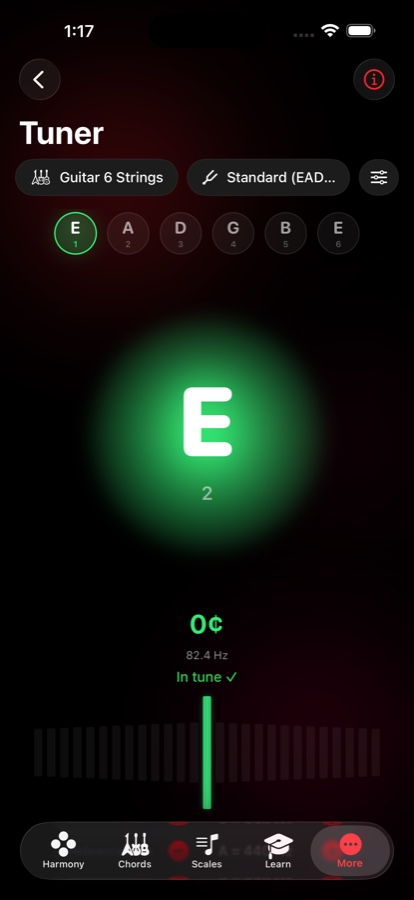
Tuner screen showing a glowing green in-tune indicator for the low E string at 82.4 Hz

Tuner

Accurate, low-latency pitch detection with auto string sensing and a left-handed mirror mode.

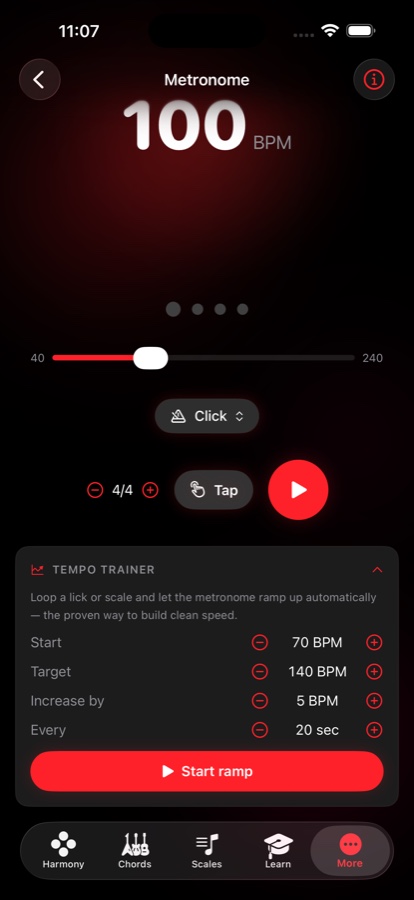
Metronome screen set to 120 BPM with a Rock groove pattern, tap tempo, and time signature controls

Metronome with grooves

Real drum grooves instead of a bare click, with tap tempo and a persistent mini-bar so it keeps time as you navigate.

Recording screen with microphone input picker, mic gain and backing-track level sliders, and a saved takes library

Recording

Record yourself over a backing track in sync, then play back, rename, or share the take from your library.

📂

Backing track library

Save and organize your own backing tracks into folders, and play along anywhere in the app.

Favorites & folders

Save custom chords and progressions into folders you control, with quick reordering and search.

🌍

Built for everyone

Left-handed mode, 7- and 8-string guitar, bass, and ukulele support, full VoiceOver access, high-contrast and larger tap-target options, and seven languages.

Standalone by design

No accounts to create. No ads to dismiss. No usage data leaving your device. redLUX Guitar works completely offline after download — even in the middle of the woods.